HPx - Input for transport
The dialogue window for creating input for the geochemical model formulation of reactive transport projects is started from the graphical user interface of HYDRUS. It is only available for HYDRUS projects that selected the HP1 version 2020 check box in the Main Processes dialogue window of the HYDRUS-1D GUI:
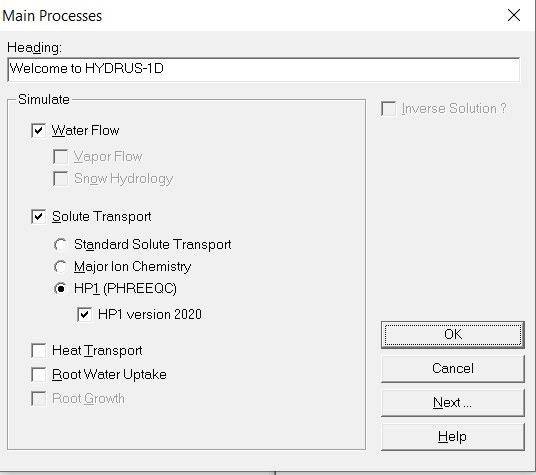
The dialogue window itself opens during the workflow in the graphical user interface of HYDRUS, or via
- Pre-processing -> Solute transport -> HP1 Input Data
- Solute Transport - HP1 Input Data in the pre-processing window.
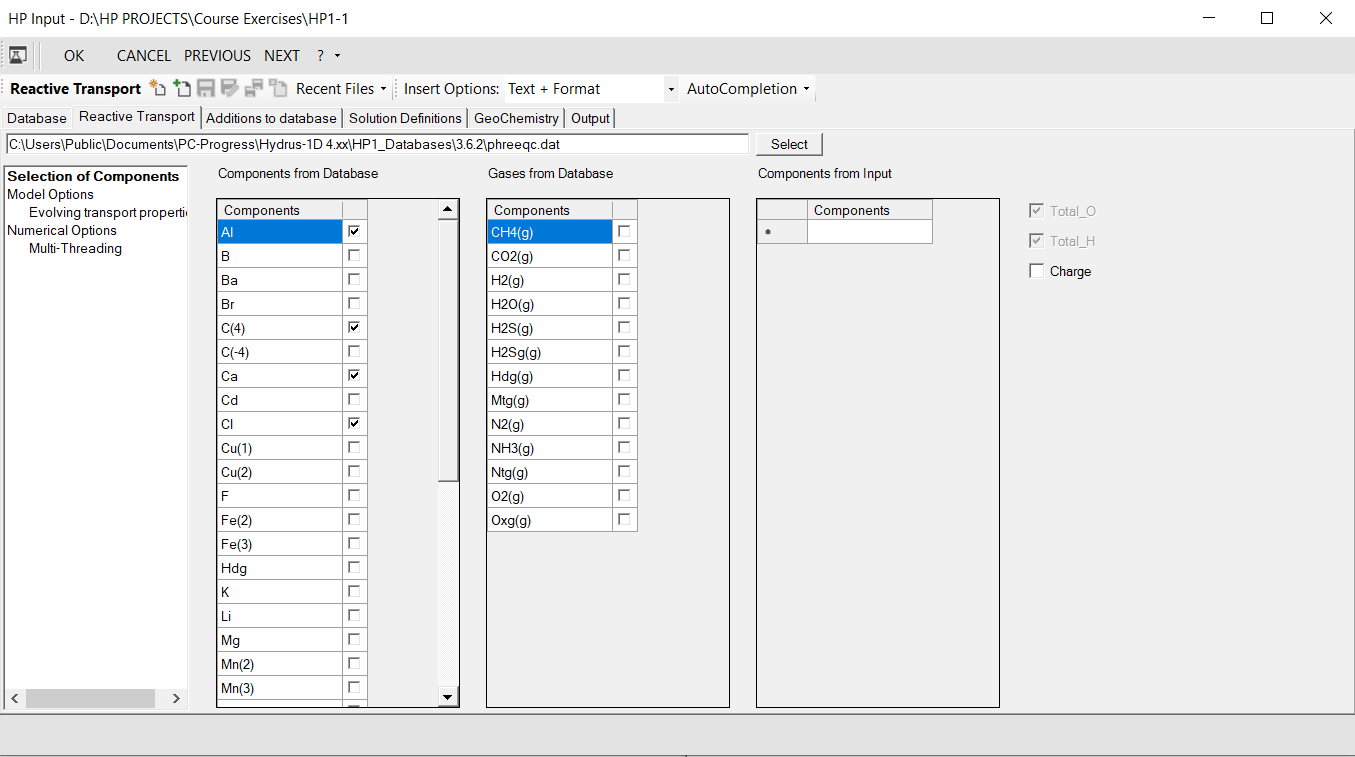
The figure below shows the dialogue window.
Main menu
|
|
Opens the database manager. |
|
|
Temporary save the changes that are made and close HP Input dialogue window returning back to the HYDRUS graphical user interface. The changes will only be definitive if the project in the HYDRUS graphical user interface is saved as well. |
|
|
Close HP Input dialogue window and return back to the HYDRUS graphical user interface.Any change made to the input is disregarded. Information on graphical user interface settings or on databases are saved. Changes are also not saved when the form is closed with the x button. |
|
|
Similar as the OK button, but returns to the previous dialogue window in the HYDRUS graphical user interface. |
|
|
Similar as the OK button, but advances to the next dialogue window in the HYDRUS graphical user interface. |
|
|


Toolstrips
Following toolstrips are available:
- to work with additional input files (see Toolstrip - Other input files)
- to set templates and autocompletion options (see Toolstrip - Template and Autocompletion)
Input tabs
There are six fixed tabs; additional tabs might be visible depending on previous actions in the graphical user interface (additional input files, see Toolstrip - Other input files).
The six fix tabs are:
|
Selection of database If a database is selected, outline and content of database is visible (read-only). |
|
|
Selection of database, components and some options for reactive transport |
|
|
Additions to database |
An input text editor to define additions to the database. Typical keywords used in this text editor are EXCHANGE_MASTER_SPECIES, EXCHANGE_SPECIES, PHASES, RATES, SOLUTION_MASTER_SPECIES, SOLUTION_SPECIES, SURFACE_MASTER_SPECIES,SURFACE_SPECIES Also some general variables or scripts can be defined using the keywords calculate_values, global_variable, datablock However, any keyword can be used here but be aware of the specific location of this text box in the geochemical input file for the reactive transport model. |
|
Solution definitions |
An input text editor to define the solutions. Typical keywords used in this text editor are SOLUTION, gas_phase However, any keyword can be used here but be aware of the specific location of this text box in the geochemical input file for the reactive transport model. |
|
Geochemistry |
An input text editor to define the geochemical model Typical keywords used in this text editor are EQUILIBRIUM_phases, exchange, gas_phase, Kinetics, solid_solutions, surface However, any keyword can be used here but be aware of the specific location of this text box in the geochemical input file for the reactive transport model. |
|
Output |
An input text editor to define the output Typical keywords used in this text editor are selected_graph, SELECTED_output, user_punch However, any keyword can be used here but be aware of the specific location of this text box in the geochemical input file for the reactive transport model. |