HPGeochemistry
The figure below shows the main page of HPGeochemistry
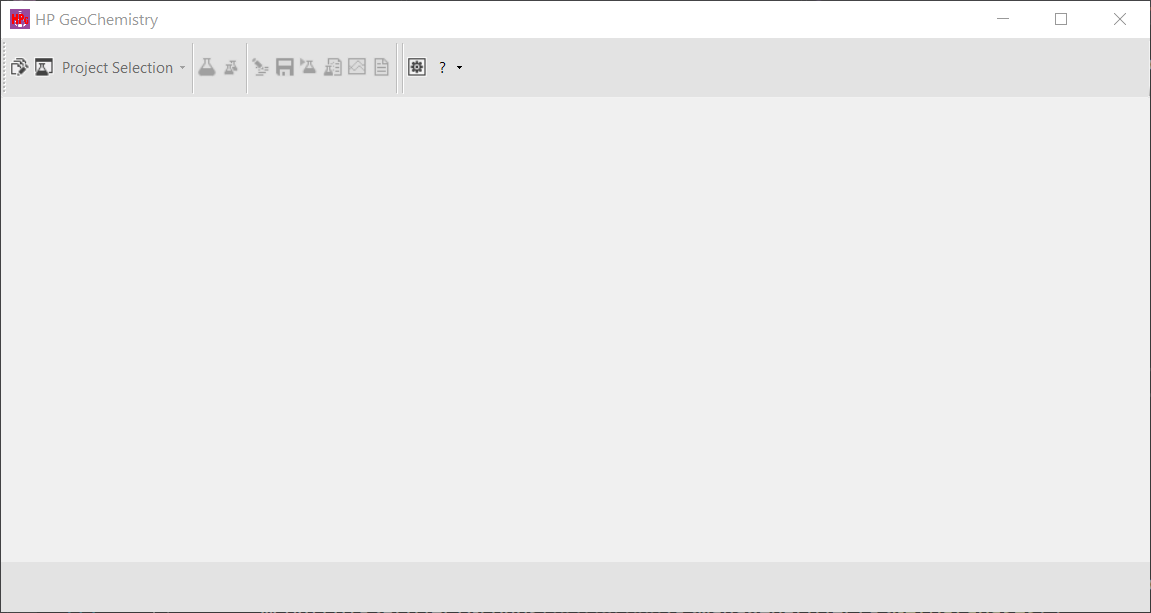
Main menu
|
|
Opens the project manager. |
|
|
Opens the database manager. |
|
|
|
|
|
|
|
Following items are only active when a simulation case is selected |
|
|
Dropdown list with open or recently opened simulation cases. When a simulation case is open, the text changes to the project name and simulation case name and appears in black (no warnings or errors in phreeqc.out), orange (warnings present but no errors in phreeqc.out) or red (errors in phreeqc.out). In addition, the windows name will also contain the simulation name case. At the left side of the bottom panel, the simulation case folder is visible. By clicking left or right on the text displaying the folder, the windows file explorer opens at, respectively, the |
|
|
|
Go to Input Workspace. |
|
|
Save the current simulation case. Existing output files will be deleted. |
|
|
Save and run the current simulation case. Existing output files will be deleted |
|
Following items only active when output files (phreeqc.out) exist. |
|
|
|
Go to Phreeqc Out Workspace that shows the text file phreeqc.out. |
|
|
Go to Graph Workspace |
|
|
Go to Datafile Workspace |